

Logiciel d'étalonnage de température MET/TEMP II v5.1
Modèles: 9938-16-v5
Principales fonctions
- Automate batch calibrations of your platinum resistance thermometers (PRTs), thermistor and thermocouple sensors, freeing your time for more important tasks
- Calibrate a wide range of temperature sensors, even connected sensors that can’t be attached to a readout
- Reduce turnaround time to get sensors back into the field within minutes rather than hours
- Choose between comparison, fixed-point, or mixed calibration methods
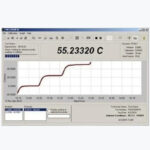
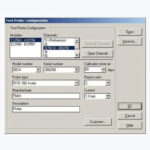
- Easy-to-use interface guides you through configuring/running a calibration test, calculating sensor coefficients, and preparing a report of calibration
Présentation du produit: Logiciel d’étalonnage de température MET/TEMP II v5.1
Principaux avantages et fonctionnalités
Étalonnage de capteur entièrement automatisé et cohérent
MET/TEMP II automatise entièrement les étalonnages par lots de vos PRT (thermomètres à résistance de platine), thermistances et thermocouples, vous permettant ainsi de vous dédier à des tâches plus importantes. Vos résultats sont cohérents peu importe l’opérateur, étant donné que MET/TEMP II surveille et contrôle le processus d’étalonnage.Tester une large gamme de capteurs thermiques
MET/TEMP II prend en charge une large gamme de capteurs thermiques. Il peut étalonner les thermocouples, RTD, SPRT, sondes, et même les thermomètres bi-métalliques avec liquide dans un tube de verre (LIG) et les capteurs connectés qui ne peuvent pas être rattachés à un afficheur. Il est possible de tester pratiquement n’importe quel capteur avec tension de sortie ou résistance, avec un maximum de 100 capteurs à la fois. Ils ne doivent pas nécessairement être du même type. Vous pouvez sélectionner jusqu’à 40 points de température pour tester vos capteurs.Productivité multipliée au laboratoire
L’étalonnage manuel de capteur thermique est cher, chronophage et enclin aux erreurs. Il faut environ quatre heures pour étalonner un capteur à trois points, une heure de plus pour la paperasserie associée à la documentation des données de température et à la création du certificat. Et vos résultats peuvent varier selon le technicien responsable de l’étalonnage. Une meilleure solution existe.Avec le logiciel MET/TEMP II, il suffit de disposer vos capteurs de test dans une source de chaleur, de les connecter à un afficheur de température, d’entrer vos informations de configuration et de démarrer le test. Ensuite, il ne vous reste plus qu’à imprimer les rapports, à les signer et à renvoyer les capteurs à votre client. Vous et vos clients apprécierez la rapidité d’exécution. À vous de choisir. Passer des heures à la réaliser l’étalonnage du capteur de température manuellement. Sinon, obtenez des mesures cohérentes et répétables en quelques minutes grâce à MET/TEMP II.
Logiciel d’étalonnage fiable et digne de confiance
MET/TEMP II v5.1 est une version mise à jour du logiciel reconnu et digne de confiance qui se connecte facilement à votre équipement Fluke Calibration. Des centaines de clients dans le monde utilisent ce logiciel dans leurs laboratoires d’étalonnage. La version 5 conserve la structure et le fonctionnement connus et appréciés par les utilisateurs.Facile à appréhender et à utiliser
L’interface utilisateur du MET/TEMP II vous guide au fil de la configuration ou de l’exécution d’un test d’étalonnage, du calcul des coefficients du capteur et de la préparation du rapport d’étalonnage. Les professionnels de l’étalonnage de tout niveau apprendront et profiteront des fonctionnalités du logiciel MET/TEMP II qui permettent de gagner du temps.Choix de méthode d’étalonnage (comparaison, point fixe ou mixte)
Vous pouvez étalonner la plupart des capteurs standard secondaires avec un capteur de référence ou des sources de chaleur étalonnées. Mais avez-vous besoin d’un niveau de précision supérieur à celui qu’un étalonnage de comparaison peut vous offrir ? MET/TEMP II peut étalonner vos capteurs standards primaires et secondaires à l’aide de cellules de point fixe. Si vous le préférez, MET/TEMP II vous permet de combiner des mesures de comparaison et de cellules de point fixe au cours du même étalonnage. Vous pouvez également effectuer une mesure du point triple avant ou après vos points de comparaison.Étalonnages de source de chaleur
Souhaitez-vous aussi étalonner vos source de chaleur ? MET/TEMP II peut effectuer des étalonnage de source de chaleur pour les puits secs et les micro-bains Fluke Calibration.Prise en charge de nombreuses configurations d’équipement de test
Effectuez des étalonnages avec un éventail de thermomètres numériques, des modèles portatifs aux modèles haute précision de laboratoire, et un assortiment de sources de chaleur, y compris les puits secs, les puits de métrologie, les micro-bains, les bains d’étalonnage et les fours.Enregistrement automatique des conditions ambiantes
MET/TEMP II peut enregistrer automatiquement la température ambiante et l’humidité pendant l’étalonnage à l’aide du thermo-hygromètre 1620A DewK.Gestion d’équipement
MET/TEMP II conserve toutes les informations et le statut d’étalonnage de l’équipement de test dans une base de données, ainsi que les informations de capteur de l’unité testée, y compris les noms et l’adresse des clients, utilisés lors de l’impression des rapports. MET/TEMP II peut également communiquer avec la base de données Fluke MET/TRACK®.Calcul de coefficient de nombreux types de capteur
L’utilitaire Coefficients et tableaux calcule les coefficients de caractérisation des sondes de PRT, de thermistance et de thermocouple. Les types de coefficients qui peuvent être calculés sont ITS-90, IPTS-68, Callendar-Van Dusen, et les fonctions polynômes pour PRT, polynôme pour thermistances et les coefficients pour les types de thermocouples B, E, J, K, N, R, S, T, et AuPt. Les coefficients de caractérisation et les données de test acquis par MET/TEMP II peuvent être exportés vers un fichier texte.Contrôle de qualité des données
La qualité des données acquises par un capteur douteux vous préoccupe-t-elle ? L’utilitaire Coefficients et tableaux calcule les résidus à chaque point de consigne pour vous donner une indication de la qualité des données utilisées pour caractériser un capteur.Tableaux d’interpolation
Après avoir caractérisé un capteur, vous pouvez générer des tableaux d’interpolation température-résistance, température-ratio ou température-tension grâce aux coefficients de caractérisation calculés. Les tableaux d’interpolation peuvent être imprimés avec le rapport d’étalonnage ou exportés sous la forme d’un fichier texte ASCII délimité, afin de l’importer dans un logiciel d’analyse.Rapport d’étalonnage conforme aux normes ANSI/NCSL
MET/TEMP II produit des rapports d’étalonnage conforme aux normes ANSI/NCSL Z540.3.Instruments Fluke Calibration pris en charge
Thermomètres
- Thermomètres Tweener 1502A/1504
- Thermomètres de référence 1523/1524
- Thermomètre Chub-E4 1529
- Thermomètre Black Stack 1560 (avec modules en option)
- Super thermomètre 1594A/1595A (multiplexeur 2590 en option)
- Scanner de température de précision Super-DAQ 1586A
Sources de température
- Puits de métrologie de terrain 9142/9143/9144
- Puits de métrologie de terrain très basse température 9190A
- Puits de métrologie 9170/9171/9172/9173
- Calibrateur de puits sec 9103/9140
- Calibrateur double bloc 9009
- Calibrateur double puits 9011
- Puits secs portables 9100S/9102S
- Puits secs point zéro 9101
- Bains d’huile haute température 6020/6022/6024
- Bains de sel très haute température 6050H
- Bains à puits profond 6054/6055/7007
- Micro-bains 6102/7102/7103
- Bains compacts 6330/7320/7340/7380
- Bains compacts à puits profond 6331/73X1
- Bains froids 7008/7040/7037/7012/7011
- Bains à résistance 7009/7108/7015
- Bain très froid 7080
- Bain de maintenance à point triple 7312
- Four d’étalonnage de thermocouple 9150
- Four d’étalonnage de thermocouple 9118A
- Cellules à point fixe 590X/591X/592X/594X
- Thermo-hygromètre numérique 1620A
- Calibrateurs infrarouges 9132/9133
- Calibrateurs infrarouges 4180/8181
- Bains d’étalonnage portables 6109A/7109A
Contrôleur de température ambiante
- Thermo-hygromètre numérique 1620A
Remarque : Un certain nombre d’instruments abandonnés de Fluke Calibration sont également pris en charge par MET/TEMP II. Veuillez contacter un centre de service agréé de Fluke Calibration si vous avez une question concernant un équipement pris en charge par MET/TEMP II v5.0.
- Africa and Middle East
- Americas
- Asia Pacific
- Europe
- AustriaDeutsch
- BelgiumFrançais
- BelgiumDutch
- CzechiaCzech
- DenmarkDansk
- FinlandFinish
- FranceFrançais
- GermanyDeutsch
- IrelandEnglish
- ItalyItaliano
- NetherlandsDutch
- NorwayNorsk
- PolandPolski
- PortugalPortuguês
- Rest of EuropeEnglish
- SpainEspañol
- SwedenSwedish
- SwitzerlandDeutsch
- SwitzerlandFrançais
- TurkeyTürkçe
- United KingdomEnglish
Découvrir d´autres marques Fluke
- Produits
- Apprendre
- Assistance
- Services
- Produits
- 4Présenté
- 2Accessoires
- 4Infrastructure du bâtiment
- 13Test électrique
- 3Caméras thermiques et acoustiques
- 2Mesure de température
- 1Testeurs de câbles réseau
- 9Outils et appareils d’étalonnage
- 3Contrôle d'état
- 3Logiciel Fluke
- 3Secteurs
- Infrastructure du bâtiment
- Outils CVC (HVAC)
- Test de la qualité de l’air intérieur
- Télémètres laser
- Niveaux laser
- Test électrique
- Multimètres numériques
- Testeurs de base
- Pinces multimètres
- Qualité du réseau électrique
- De mise à la terre
- Testeurs d'installations électriques
- Outils isolés
- Outils à Sécurité intrinsèque
- Analyseurs de batterie
- Controleurs d'isolement
- Oscilloscopes portables
- Instruments pour l’industrie solaire
- eMobility
- Caméras thermiques et acoustiques
- Caméras thermiques
- Détection de fuite et de décharge partielle
- Hublots IR
- Outils et appareils d’étalonnage
- Calibrateurs de process
- Étalonnage électrique
- Étalonnage RF
- Équipements de test et d'acquisition de données
- Étalonnage de la température
- Étalonnage de l´humidité
- Étalonnage de la pression
- Étalonnage de débit
- Logiciels Fluke Calibration
- Contrôle d'état
- Alignement par laser
- Contrôle de vibrations
- Logiciel de surveillance et d'alignement de l'état de la fortune
- Logiciel Fluke
- Logiciel d’outils de test électrique Fluke
- Logiciels Fluke Calibration
- Logiciel de surveillance et d'alignement de l'état de la fortune
- Apprendre
- 7Centre de ressources Fluke
- Etudes de cas
- Programme de partenariat éducatif Fluke
- Prüftechnik events
- Salons professionnels
- Webinaire
- 8Outils et calculateurs
- Centre de ressources Fluke
- Les fondamentaux
- Etalonnage
- Gestion de l'énergie
- Maintenance + monitoring
- Sécurité
- Réparation
- Tous les sujets
- Outils et calculateurs
- Calculateur de fuite d´air | ROI
- Calculateur de champ de visée
- ii-Series reporting tool
- PT100 calculator
- FCAL PT100 table generator
- Downtime cost calculator
- Convertisseur de tension du thermocouple en température
- Calcul par type de thermocouple
- Ressources produits
- Base de connaissances
- Manuels
- Enregistrement de produit
- Programme de recyclage
- Notices de sécurité
- Télécharger les mises à jour logicielles
- Garanties
- Material safety data sheets (MSDS)
- Qualité et accréditations
- Service client
- Nous contacter
- Services d'étalonnage
- Autorisation de renvoi du matériel
- Services de réparation
- Centres de réparation
- MET/SUPPORT
- Services de terrain
- Services d'alignement de rouleaux PARALIGN
- Services d'alignement laser
- Surveillance à distance de l'état
- Services d'analyse des vibrations
- Autres entreprises Fluke
- Fluke Calibration
- Fluke Biomedical
- Fluke Networks
- Fluke Process Instruments
- Fluke Reliability
- Contrôle d'état
- 9Découvrir d´autres marques Fluke
- Découvrir d´autres marques Fluke
- Amprobe
- Beha-Amprobe
- Comark
- Irisys
- Landauer
- Pacific Laser Systems
- Pomona
- RaySafe
- Solmetric
Parlez à un expert des ventes Fluke
Nous vous aiderons à sélectionner le bon produit pour vos besoins.
Quick support What is your favorite color? Prénom Nom E-mail Société Numéro de téléphone Pays - Veuillez sélectionner une valeur -United States (Estados Unidos)CanadaAfghanistanAlbaniaAlgeriaAmerican SamoaAndorraAngolaAnguillaAntarcticaAntigua and BarbudaArgentinaArmeniaArubaAustraliaAzerbaijanBahamasBahrainBangladeshBarbadosБеларусь (Belarus)Belgien/Belgique (Belgium)BelizeBeninBermudaBhutanBoliviaBonaireBosnia and HerzegovinaBouvet IslandBotswanaBrazilBritish Indian Ocean TerritoryBrunei DarussalamBulgariaBurkina FasoBurundiCambodiaCameroonCape VerdeCayman IslandsCentral African RepublicČeská republika (Czech Republic)ChadChile中国 (China)Christmas IslandCittà Di VaticanCocos (Keeling) IslandsCook IslandsColombiaComorosCongoThe Democratic Republic of CongoCosta RicaCroatiaCyprusCôte D IvoireDanmark (Denmark)Deutschland (Germany)DjiboutiDominicaEcuadorEgyptEl SalvadorEquatorial GuineaEritreaEspaña (Spain)EstoniaEthiopiaFaroese FøroyarFijiFranceFrench Southern TerritoriesFrench GuianaGabonGambiaGeorgiaGhanaGibraltarGreeceGreenlandGrenadaGuatemalaGuadeloupeGuam (USA)GuineaGuinea-BissauGuyanaHaitiHeard Island and McDonald IslandsHondurasHong KongHungaryIcelandIndiaIndonesiaIraqIrelandIsraelFalkland IslandsItalyJamaica日本 (Japan)JordanKazakhstanKenyaKiribati대한민국 (Korea Republic of)KuwaitKyrgyzstanLaosLatviaLebanonLesothoLiberiaLibyaLiechtensteinLithuaniaLuxembourgMacaoMacedoniaMadagascarMalawiMalaysiaMaldivesMaliMaltaMarshall IslandsMartiniqueMauritaniaMauritiusMayotteMéxico (Mexico)MicronesiaMoldovaMonacoMongoliaMontenegroMontserratMoroccoMozambiqueMyanmarNamibiaNauruNederland (Netherlands)Netherlands AntillesNepalNew CaledoniaNew ZealandNicaraguaNigerNigeriaNiueNorge (Norway)Norfolk IslandNorthern Mariana IslandsOmanÖsterreich (Austria)PakistanPalauPalestinePanamaPapua New GuineaParaguayPerú (Peru)PhilippinesPitcairn IslandPuerto RicoРоссия (Russia)Polska (Poland)Polynesia (French)PortugalQatarRepública Dominicana (Dominican Republic)RéunionRomânia (Romania)RwandaSaint HelenaSaint Pierre and MiquelonSaint Kitts and NevisSaint LuciaSaint Vincent and The GrenadinesSan MarinoSao Tome and PrincipeSaudi ArabiaSchweiz (Switzerland)SenegalSerbiaSeychellesSierra LeoneSingaporeSlovakiaSloveniaSolomon IslandsSomaliaSouth AfricaSouth Georgia and The South Sandwich IslandsSouth SudanSri LankaSudanSuomi (Finland)SurinameSvalbard and Jan MayenSverige (Sweden)SwazilandTaiwan, ChinaTajikistanTanzaniaThailandTimor-LesteTokelauTogoTongaTrinidad and TobagoTunisiaTurkeyTurkmenistanTurks and Caicos IslandsTuvaluUgandaUkraineUnited Arab EmiratesUnited KingdomUnited States Minor Outlying IslandsUruguayUzbekistanVanuatuVirgin Islands (British)Virgin Islands (USA)VenezuelaVietnamWallis and FutunaWestern SaharaWestern SamoaYemenZambiaZimbabwe Code postal Produit d’intérêt - Veuillez sélectionner une valeur -Imagerie thermiqueQualité de l'énergieOutils d'étalonnageOutils de réseauxOscilloscopesPlans de service/supportProduits électriquesPrüftechnik/Azima Surveillance d´état et alignementSolaire, mobilité électrique et stockageThermomètres (contact et IR)Détection de fuites/de décharges partiellesVibration et alignement Produits intéressants Catégorie de produits réseau - Veuillez sélectionner une valeur -Certification cuivreCertification fibreCertification fibre/cuivreEthernet industrielPlans de service/support Catégorie de produits d’étalonnage - Veuillez sélectionner une valeur -Étalonnage de débitÉtalonnage de pressionÉtalonnage de températureÉtalonnage électriqueLogiciel d'étalonnageOutils d'étalonnage de processus industrielsPlans de service/support FPI Product Category - Veuillez sélectionner une valeur - Commentaires Cochez cette case si vous souhaitez recevoir des informations par e-mail (ou via les plateformes de réseaux sociaux que vous visitez, en utilisant votre adresse e-mail, toujours sous réserve de vos paramètres) sur les produits, services, offres et événements les plus récents de Fluke. Vous êtes libre de retirer ce consentement à tout moment et un lien de désabonnement sera inclus dans chaque e-mail envoyé. Pour plus d’information sur la manière dont Fluke traite les données personnelles, consultez la Politique de confidentialité de Fluke. Fluke inclut Fluke Corporation et ses filiales et sociétés affiliées.Déclaration de confidentialité
Leave this field blank Toggle navigationLogiciel d'étalonnage de température MET/TEMP II v5.1
Modèles: 9938-16-v5Principales fonctions
Save time and money with proven, trusted software that helps you calibrate a wide range of temperature sensors through various methods.
- Automate batch calibrations of your platinum resistance thermometers (PRTs), thermistor and thermocouple sensors, freeing your time for more important tasks
- Calibrate a wide range of temperature sensors, even connected sensors that can’t be attached to a readout
- Reduce turnaround time to get sensors back into the field within minutes rather than hours
- Choose between comparison, fixed-point, or mixed calibration methods
- Easy-to-use interface guides you through configuring/running a calibration test, calculating sensor coefficients, and preparing a report of calibration
Présentation du produit: Logiciel d'étalonnage de température MET/TEMP II v5.1
Principaux avantages et fonctionnalités
Étalonnage de capteur entièrement automatisé et cohérent
MET/TEMP II automatise entièrement les étalonnages par lots de vos PRT (thermomètres à résistance de platine), thermistances et thermocouples, vous permettant ainsi de vous dédier à des tâches plus importantes. Vos résultats sont cohérents peu importe l'opérateur, étant donné que MET/TEMP II surveille et contrôle le processus d'étalonnage.Tester une large gamme de capteurs thermiques
MET/TEMP II prend en charge une large gamme de capteurs thermiques. Il peut étalonner les thermocouples, RTD, SPRT, sondes, et même les thermomètres bi-métalliques avec liquide dans un tube de verre (LIG) et les capteurs connectés qui ne peuvent pas être rattachés à un afficheur. Il est possible de tester pratiquement n'importe quel capteur avec tension de sortie ou résistance, avec un maximum de 100 capteurs à la fois. Ils ne doivent pas nécessairement être du même type. Vous pouvez sélectionner jusqu'à 40 points de température pour tester vos capteurs.Productivité multipliée au laboratoire
L'étalonnage manuel de capteur thermique est cher, chronophage et enclin aux erreurs. Il faut environ quatre heures pour étalonner un capteur à trois points, une heure de plus pour la paperasserie associée à la documentation des données de température et à la création du certificat. Et vos résultats peuvent varier selon le technicien responsable de l'étalonnage. Une meilleure solution existe.Avec le logiciel MET/TEMP II, il suffit de disposer vos capteurs de test dans une source de chaleur, de les connecter à un afficheur de température, d'entrer vos informations de configuration et de démarrer le test. Ensuite, il ne vous reste plus qu'à imprimer les rapports, à les signer et à renvoyer les capteurs à votre client. Vous et vos clients apprécierez la rapidité d'exécution. À vous de choisir. Passer des heures à la réaliser l'étalonnage du capteur de température manuellement. Sinon, obtenez des mesures cohérentes et répétables en quelques minutes grâce à MET/TEMP II.
Logiciel d'étalonnage fiable et digne de confiance
MET/TEMP II v5.1 est une version mise à jour du logiciel reconnu et digne de confiance qui se connecte facilement à votre équipement Fluke Calibration. Des centaines de clients dans le monde utilisent ce logiciel dans leurs laboratoires d'étalonnage. La version 5 conserve la structure et le fonctionnement connus et appréciés par les utilisateurs.Facile à appréhender et à utiliser
L'interface utilisateur du MET/TEMP II vous guide au fil de la configuration ou de l'exécution d'un test d'étalonnage, du calcul des coefficients du capteur et de la préparation du rapport d'étalonnage. Les professionnels de l'étalonnage de tout niveau apprendront et profiteront des fonctionnalités du logiciel MET/TEMP II qui permettent de gagner du temps.Choix de méthode d'étalonnage (comparaison, point fixe ou mixte)
Vous pouvez étalonner la plupart des capteurs standard secondaires avec un capteur de référence ou des sources de chaleur étalonnées. Mais avez-vous besoin d'un niveau de précision supérieur à celui qu'un étalonnage de comparaison peut vous offrir ? MET/TEMP II peut étalonner vos capteurs standards primaires et secondaires à l'aide de cellules de point fixe. Si vous le préférez, MET/TEMP II vous permet de combiner des mesures de comparaison et de cellules de point fixe au cours du même étalonnage. Vous pouvez également effectuer une mesure du point triple avant ou après vos points de comparaison.Étalonnages de source de chaleur
Souhaitez-vous aussi étalonner vos source de chaleur ? MET/TEMP II peut effectuer des étalonnage de source de chaleur pour les puits secs et les micro-bains Fluke Calibration.Prise en charge de nombreuses configurations d'équipement de test
Effectuez des étalonnages avec un éventail de thermomètres numériques, des modèles portatifs aux modèles haute précision de laboratoire, et un assortiment de sources de chaleur, y compris les puits secs, les puits de métrologie, les micro-bains, les bains d'étalonnage et les fours.Enregistrement automatique des conditions ambiantes
MET/TEMP II peut enregistrer automatiquement la température ambiante et l'humidité pendant l'étalonnage à l'aide du thermo-hygromètre 1620A DewK.Gestion d'équipement
MET/TEMP II conserve toutes les informations et le statut d'étalonnage de l'équipement de test dans une base de données, ainsi que les informations de capteur de l'unité testée, y compris les noms et l'adresse des clients, utilisés lors de l'impression des rapports. MET/TEMP II peut également communiquer avec la base de données Fluke MET/TRACK®.Calcul de coefficient de nombreux types de capteur
L'utilitaire Coefficients et tableaux calcule les coefficients de caractérisation des sondes de PRT, de thermistance et de thermocouple. Les types de coefficients qui peuvent être calculés sont ITS-90, IPTS-68, Callendar-Van Dusen, et les fonctions polynômes pour PRT, polynôme pour thermistances et les coefficients pour les types de thermocouples B, E, J, K, N, R, S, T, et AuPt. Les coefficients de caractérisation et les données de test acquis par MET/TEMP II peuvent être exportés vers un fichier texte.Contrôle de qualité des données
La qualité des données acquises par un capteur douteux vous préoccupe-t-elle ? L'utilitaire Coefficients et tableaux calcule les résidus à chaque point de consigne pour vous donner une indication de la qualité des données utilisées pour caractériser un capteur.Tableaux d'interpolation
Après avoir caractérisé un capteur, vous pouvez générer des tableaux d'interpolation température-résistance, température-ratio ou température-tension grâce aux coefficients de caractérisation calculés. Les tableaux d'interpolation peuvent être imprimés avec le rapport d'étalonnage ou exportés sous la forme d'un fichier texte ASCII délimité, afin de l'importer dans un logiciel d'analyse.Rapport d'étalonnage conforme aux normes ANSI/NCSL
MET/TEMP II produit des rapports d'étalonnage conforme aux normes ANSI/NCSL Z540.3.Instruments Fluke Calibration pris en charge
Thermomètres
- Thermomètres Tweener 1502A/1504
- Thermomètres de référence 1523/1524
- Thermomètre Chub-E4 1529
- Thermomètre Black Stack 1560 (avec modules en option)
- Super thermomètre 1594A/1595A (multiplexeur 2590 en option)
- Scanner de température de précision Super-DAQ 1586A
Sources de température
- Puits de métrologie de terrain 9142/9143/9144
- Puits de métrologie de terrain très basse température 9190A
- Puits de métrologie 9170/9171/9172/9173
- Calibrateur de puits sec 9103/9140
- Calibrateur double bloc 9009
- Calibrateur double puits 9011
- Puits secs portables 9100S/9102S
- Puits secs point zéro 9101
- Bains d'huile haute température 6020/6022/6024
- Bains de sel très haute température 6050H
- Bains à puits profond 6054/6055/7007
- Micro-bains 6102/7102/7103
- Bains compacts 6330/7320/7340/7380
- Bains compacts à puits profond 6331/73X1
- Bains froids 7008/7040/7037/7012/7011
- Bains à résistance 7009/7108/7015
- Bain très froid 7080
- Bain de maintenance à point triple 7312
- Four d'étalonnage de thermocouple 9150
- Four d'étalonnage de thermocouple 9118A
- Cellules à point fixe 590X/591X/592X/594X
- Thermo-hygromètre numérique 1620A
- Calibrateurs infrarouges 9132/9133
- Calibrateurs infrarouges 4180/8181
- Bains d'étalonnage portables 6109A/7109A
Contrôleur de température ambiante
- Thermo-hygromètre numérique 1620A
Remarque : Un certain nombre d'instruments abandonnés de Fluke Calibration sont également pris en charge par MET/TEMP II. Veuillez contacter un centre de service agréé de Fluke Calibration si vous avez une question concernant un équipement pris en charge par MET/TEMP II v5.0.
Spécifications: Logiciel d'étalonnage de température MET/TEMP II v5.1
Conditions requises
Matériel
- Ordinateur doté d'un processeur 32 bits (x86) ou 64 bits (x64) 1 GHz ou plus rapide
- 1 Go de RAM (32 bits) ou 2 Go de RAM (64 bits)
- Moniteur VGA ou technologie plus récente
- Lecteur CD-ROM pour l'installation du logiciel
- Au moins 100 Mo d'espace libre sur le disque dur pour l'installation du logiciel
- Port USB ou RS 232
Logiciel
L'un des systèmes d'exploitation suivants :- Windows 7 32 bits ou 64 bits
- Windows 8/8.1 32 bits ou 64 bits
- Windows 10 32 bits ou 64 bits
Équipement MET/TEMP II V5.0
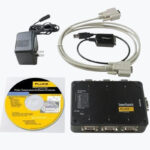
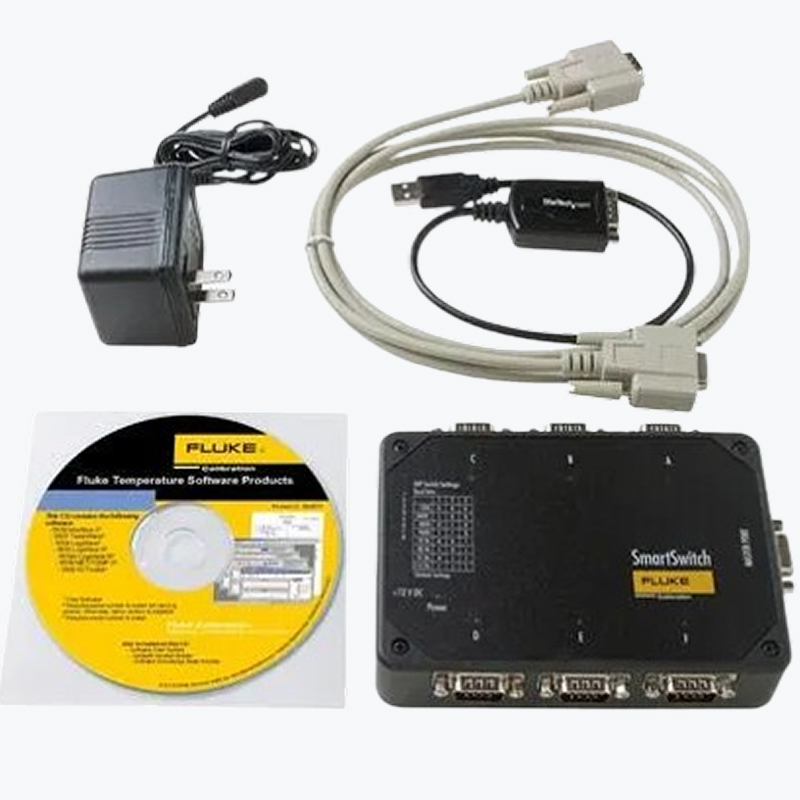
L'équipement requis suivant est inclus avec les modèles de logiciel MET/TEMP II V5.0 (9938-16-V5, 9938-25-V5 et 9938-25-UK-V5) :- Logiciel et licence MET/TEMP II V5.0
- SmartSwitch (permet la connexion et l'automatisation de jusqu'à 6 sources de température)
- Adaptateur secteur
- Câble de données RS 232
- Adaptateur USB-RS 232
Remarque : La mise à niveau du logiciel MET/TEMP II V5.0 (9938-V5-UPG) n'inclut pas de SmartSwitch, d'adaptateur secteur, de câble de données RS 232 et d'adaptateur USB-RS 232. Cette version requiert l'utilisation de l'équipement MET/TEMP II existant.
L'équipement supplémentaire suivant peut être requis (non inclus avec le logiciel MET/TEMP II V5.0 ou la mise à niveau correspondante) :
- Jusqu'à 6 câbles de simulateur de modem pour connecter l'équipement de test aux ports SmartSwitch. Remarque : Les câbles de simulateur de modem RS 232 accompagnent systématiquement les sources thermiques et les thermomètres Fluke Calibration. Il n'est donc pas utile d'en acheter séparément à moins qu'ils aient été perdus ou endommagés.
Modèles: Logiciel d'étalonnage de température MET/TEMP II v5.1
9938-16-v5Logiciel MET/TEMP II V5, 115 V 60 HzAcheterComprend :
- CD et licence du logiciel MET/TEMP II V5.0
- SmartSwitch
- Adaptateur secteur
- Câble de données RS 232
- Adaptateur USB-RS 232
AcheterComprend :
- CD et licence du logiciel MET/TEMP II V5.0
- SmartSwitch
- Adaptateur secteur
- Câble de données RS 232
- Adaptateur USB-RS 232
AcheterComprend :
- CD et licence du logiciel MET/TEMP II V5.0
- SmartSwitch
- Adaptateur secteur
- Câble de données RS 232
- Adaptateur USB-RS 232
MET/TEMP II V5 Software, No Smart Switch
Acheter
Includes:
- MET/TEMP II V5.0 Software CD and License
- RS-232 Data Cable
- USB-to-RS-232 Adapter
AcheterComprend :
- CD et licence du logiciel MET/TEMP II V5.0
AcheterLIC-9938Licence MET/TRACK - permet la connexion de MET/TEMP II à une base de données MET/TRACK
Acheter
Manuels + ressources: Logiciel d'étalonnage de température MET/TEMP II v5.1
Accessoires compatibles: Logiciel d'étalonnage de température MET/TEMP II v5.1
Discuter avec notreassistant Fluke Effacer le chat Nous contacterBénéficiez de 10 % de réduction /* General Buzz layout styles /* 1. bot-container - The main chat container all elements are in. * 2. bot-header - The header section, containing the logo, title, and size toggle inputs * 3. bot-content - The main content area, containing the chat messages * 4. bot-promo - The promo area, containing the promo links (Pills) * 5. bot-inputs - The input area, containing the user input and send button */ .bot-container { display: grid; grid-template-rows: auto 1fr auto; height: auto; background-color: #FFFAEB; transition: width 0.4s ease, height 0.4s ease; position: fixed; bottom: 0; right: 0; z-index: 11; box-shadow: 1px 1px 1px 1px rgba(0, 0, 0, 0.2); } .bot-header { display: grid; grid-template-columns: auto 1fr auto auto; background-color: #5A5A5A; align-items: center; justify-items: center; height: 60px; color: #FFFFFF; } .bot-full .bot-header, .bot-mid .bot-header, .bot-small .bot-header { padding: 0 15px; justify-items: left; } .bot-content { position: relative; padding: 15px; overflow-y: scroll; } /* If the promo pills exist, add extra padding at the bottom */ .bot-content.bot-content-promo { padding-bottom: 70px; } /* If .bot-content does NOT have .bot-content-promo, the container .bot-promo is hidden */ .bot-content:not(.bot-content-promo) .bot-promo { display: none; } /* Promo section is always fixed to the bottom of the chat container */ .bot-promo { position: fixed; bottom: 110px; } /* Kaizen Adjustment: Bot intro is smaller */ .bot.bot-intro { font-size: 12px; } /* Need to have list type for fnet */ .bot.bot-intro li { font-size: 12px; list-style-type: inherit; } /* Need to target p for fpi */ .bot.bot-intro p { font-size: 12px; padding-top: 1em; } .bot-inputs { display: grid; grid-template-columns: 1fr auto; background-color: #EEEEEE; height: 75px; align-items: center; justify-content: space-between; padding: 10px 15px; border-bottom: 10px solid #5A5A5A; } /* General container layout styles * 1. bot-full - The largest chat size. Allows for chat interaction * 2. bot-mid - The medium chat size. Allows for chat interaction * 3. bot-small - The small chat size. Hides interactive elements * 4. bot-xsmall - The smallest chat size. Shows only the chat icon. */ .bot-full, .bot-mid { width: 100%; height: 660px; } @media screen and (min-width: 527px) { .bot-full { width: 90%; height: 90%; } .bot-mid { width: 430px; height: 660px; } .bot-container { bottom: 20px; right: 20px; } } .bot-small { width: 285px; height: 60px; } .bot-xsmall { width: 60px; height: 60px; } /* * Helper classes to hide elements depending on the bot size */ .bot-full .bot-full-hidden, .bot-mid .bot-mid-hidden, .bot-small .bot-small-hidden, .bot-xsmall .bot-xsmall-hidden { display: none; } /* * Styles for individual elements */ /* close-button is the circle x button. */ .close-button { width: 40px; height: 40px; border-radius: 50%; background-color: white; position: relative; } .close-button::before, .close-button::after { content: ''; position: absolute; width: 2px; height: 20px; background-color: #003B78; top: 50%; left: 50%; transform: translate(-50%, -50%) rotate(45deg); } .close-button::after { transform: translate(-50%, -50%) rotate(-45deg); } /* On mid + full, the close button is in the right corner of the header. * On small, it changes to absolute positioning in the top left corner. */ .bot-small .close-button { position: absolute; top: -15px; left: -15px; width: 30px; height: 30px; box-shadow: 0px 0px 5px 0px rgba(63, 63, 63, 0.85); } /* The pill shaped clear button in the header */ #clear-button { height: 40px; border-radius: 20px; background-color: white; font-size: 16px; cursor: pointer; align-content: center; padding: 0px 20px; color: #003B78; margin-right: 15px; } /* The text field the user can enter their question */ #user-input { width: 100%; padding: 10px; background-color: #fff; border: 2px solid #fff; border-radius: 20px; box-sizing: border-box; color: #212121; font-size: 16px; float: left; padding-right: 55px; margin-right: 15px; } /* The inputs get disabled while the bot is thinking, make it look nice */ #user-input:disabled { background-color: #FAFAFA; border: 2px solid #FAFAFA; color: #444; } /* Add some extra margin for the submit button */ .submit-button { margin-left: 15px; } /* Send Circle is a SVG, acting as our submit button */ .send-circle { fill: #fff; box-shadow: none; transition: fill 0.1s ease-in-out; } #send-circle-disabled { fill: #FAFAFA; box-shadow: none; transition: fill 0.1s ease-in-out; } #send-circle:hover { transition: fill 0.1s ease-in-out; fill: #FAFAFA; } /* The header text has a yellow section that is only visible on the small size */ .bot-middle-text { color: #ffc20e; display: block; } .header-text { margin-left: 15px; } /* Promo links are styled as pills. Found in a container between content and inputs. Not required, not always present. */ .promo-pill { background-color: white; border: 1px solid #ADADAD; border-radius: 50px; color: #ADADAD; float: left; padding: 2px 12px; margin-left: 5px; font-size: 13px; } .promo-pill a { color: #ADADAD; text-decoration: none; } /* The "Chat bubble" icon - used as a transition element */ .chat-icon-button { position: relative; margin-top: 5px; } .bot-xsmall .chat-icon-button { position: absolute; } /* User is the container for the user's chat message */ .user { width: 85%; padding: 10px; background-color: #fff; border: 1px solid #EDF4FF; border-radius: 10px 10px 0px 10px; box-sizing: border-box; position: relative; color: #333; font-size: 16px; float: right; margin: 30px 0; } /* Add the user label to the chat response*/ .user:before { content: "Vous"; font-weight: bold; display: block; font-size: 12px; position: absolute; right: 45px; bottom: -22px; } /* Add the "User" icon, which is a happy lil face */ .user:after { content: ""; background-image: url('https://dam-assets.fluke.com/s3fs-public/user-avatar.png'); background-size: 35px 35px; background-repeat: no-repeat; width: 35px; height: 35px; position: absolute; right: 0; bottom: -40px; } /* Bot is the container for the bot's chat message */ .bot { width: 85%; padding: 10px; background: #FFFFFF 0% 0% no-repeat padding-box; border: 1px solid #FFEAAC; border-radius: 10px 10px 10px 0px; box-sizing: border-box; position: relative; color: #333; font-size: 16px; float: left; margin: 30px 0; } /* Add the bot label. As it's loaded, the label isn't present*/ .bot:not(.bot-loading):after { content: "Assistant Fluke"; font-weight: bold; display: block; font-size: 12px; position: absolute; left: 45px; bottom: -22px; } /* Add the "Bot" icon, which is the Yellow DMM */ .bot:before { content: ""; background-image: url('https://dam-assets.fluke.com/s3fs-public/bot-avatar@2x.png'); background-size: 35px 35px; background-repeat: no-repeat; width: 35px; height: 35px; position: absolute; left: 0; bottom: -40px; } /* Add the bot label */ .bot:after { content: ""; font-weight: bold; display: block; font-size: 12px; position: absolute; left: 45px; bottom: -22px; } /* When the bot is loading a message, we make the container smaller to fit the animation */ .bot-loading { width: 25%; min-height: 30px; } /* The loader animation for the bot */ .bot-loader { width: 10px; /* Reduced from 15px to 10px */ aspect-ratio: 1; border-radius: 50%; animation: l5 1s infinite linear alternate; margin: auto; /* Center the loader within the .bot-loading container */ } /* Bot loader animations */ @keyframes l5 { 0% { box-shadow: 15px 0 #333, -15px 0 #3332; background: #333 } /* Adjusted color to #333 */ 33% { box-shadow: 15px 0 #333, -15px 0 #3332; background: #3332 } 66% { box-shadow: 15px 0 #3332, -15px 0 #333; background: #3332 } 100% { box-shadow: 15px 0 #3332, -15px 0 #333; background: #333 } } /* The bot rating container, containing thumbs */ .bot-rating { position: relative; text-align: right; margin-top: -25px; float: right; margin-right: 15%; } .bot-rating .button { width: 20px; height: 20px; margin-left: 5px; padding: 10px; } /* When a user has rated the bot, we change the color of the thumbs */ .responded path { stroke: #ffc20e; fill: #ffc20e; } .responded-alt path { stroke: #eee; fill: #eee; } /* The thumb up and thumb down icons */ .thumbup, .thumbdown { width: 50px; height: 50px; position: relative; cursor: pointer; } /* A cta dynamically added to our search results */ .buzz-algolia { margin: 2em 0 1em; } /* This should really be done in Alogia, but code freeze yada yada */ .alg-full-header-inner { margin-left: 1.5em; } /* When adding CTA buttons to chat responses, adds some extra margin to position them nicely */ .bot-cta { margin: 1em 0; } .bot-cta a.button { margin-top: 1em; text-decoration: none; display: block; width: 50%; } /* To prevent 'super custom' css on TOCs from messing with us, added this */ svg { margin: initial; width: initial; height: initial; } /* Back to top override only found on Fluke.com */ #backtotop { bottom: 9rem !important; z-index: 10 !important; }/* * This script is executed when the DOM is fully loaded. It performs the following tasks: * * 1. Sets the initial bot welcome text. * 2. Defines constants for user input field and send button. * 3. Adds a MutationObserver to the '.bot-container' element. This observer: * - Triggers when attributes, child elements, or subtree of '.bot-container' change. * - Checks the current size of the bot container (full, mid, small, xsmall) based on its class. * - Calls a corresponding function to set event listeners based on the bot container's size. * 4. Adds event listeners to the user input field and send button: * - If the user presses 'Enter' in the input field, it sends the message. * - If the user clicks the send button, it also sends the message. */ document.addEventListener('DOMContentLoaded', function () { let path = window.location.pathname; addInitialBuzz(path); // Add the welcome bot text /* Set the constants for elements we need to interact with */ const userInput = document.getElementById('user-input'); // The user input field const sendButton = document.getElementById('send-button'); // The send button (SVG Circle & Arrow) // Function to handle class checking and function calling function handleBotContainerClass(botContainer) { if (botContainer.classList.contains('bot-full')) { fullBotContainer(); } else if (botContainer.classList.contains('bot-mid')) { midBotContainer(); } else if (botContainer.classList.contains('bot-small')) { smallContainer(); } else if (botContainer.classList.contains('bot-xsmall')) { xSmallBotContainer(); } } // Add a mutation observer to the bot-container var botContainer = document.querySelector('.bot-container'); var config = { attributes: true, childList: true, subtree: true }; // The initial event listeners need to be set based on the current size of the bot container handleBotContainerClass(botContainer); // Debounce function to ensure that it's only called once per batch. function debounce(func, wait) { let timeout; return function (...args) { clearTimeout(timeout); timeout = setTimeout(() => func.apply(this, args), wait); }; } // Debounced version of handleBotContainerClass const debouncedHandleBotContainerClass = debounce(handleBotContainerClass, 100); if (botContainer) { var observer = new MutationObserver(function (mutationsList, observer) { for (var mutation of mutationsList) { if (mutation.type == 'attributes' && mutation.attributeName === 'class') { debouncedHandleBotContainerClass(botContainer); } } }); observer.observe(botContainer, config); botContainer.addEventListener('click', function (e) { localStorage.setItem('buzzLastState', botContainer.classList); }); } /* Check for interactions. If a user hits enter on #user-input, OR if they click #send-button, we want to send the message */ userInput.addEventListener('keypress', function (e) { if (e.key === 'Enter') { var input = userInput.value; if (input.trim() !== '') { sendMessage(userInput); } } }); sendButton.addEventListener('click', function () { sendMessage(userInput); }); // Clear chat button const clearButton = document.getElementById('clear-button'); clearButton.addEventListener('click', function () { clearMessages(path); }); const botCon = document.querySelector('.bot-message-container'); // Check if there are elements with the class 'bot-prompt-link' // Add event listener to botCon // Add event listener to botCon botCon.addEventListener('click', handleClick); function handleClick(event) { // Check if the clicked element has the class 'bot-prompt-link' and #user-input is enabled if ( event.target.classList.contains('bot-prompt-link') && !document.querySelector('#user-input').disabled ) { event.preventDefault(); sendMessage(event.target.textContent); } } }); /* Functions to transition the bot to different sizes * 1. botTransitionFull - Transition the bot to full size - allows chat interaction * 2. botTransitionMid - Transition the bot to the medium size - allows chat interaction * 3. botTransitionSmall - Transition the bot to small size - Hides interactive elevements * 4. botTransitionXsmall - Transition the bot to smallest size - Shows only the chat icon. */ function botTransitionFull() { const botContainer = document.querySelector('.bot-container'); botContainer.className = 'bot-container bot-full' } function botTransitionMid() { const botContainer = document.querySelector('.bot-container'); botContainer.className = 'bot-container bot-mid' } function botTransitionSmall() { const botContainer = document.querySelector('.bot-container'); botContainer.className = 'bot-container bot-small' } function botTransitionXsmall() { const botContainer = document.querySelector('.bot-container'); botContainer.className = 'bot-container bot-xsmall' } /* Helper function to bind the onClick */ function setOnClick(selector, func) { const element = document.querySelector(selector); element.onclick = func; } /* Functions to add the event listeners to the chat elements, based on the size of the container * We may want the same element to do different things based on the size. * 1. smallContainer - Set the initial event listeners when the bot loads * 2. smallBotContainer midBotContainer fullBotContainer - Set the event listeners for the appropriate size * * Note: If you want to change the element that triggers the transition, you can change the selector in the setOnClick function * If you want to change the transition that happens, you can change the function in the setOnClick function */ function smallContainer() { setOnClick('.chat-icon-button', botTransitionMid); setOnClick('.header-text', botTransitionMid); setOnClick('.close-button', botTransitionXsmall); } function xSmallBotContainer() { setOnClick('.chat-icon-button', botTransitionSmall); } function midBotContainer() { setOnClick('.close-button', botTransitionSmall); //setOnClick('.logo', botTransitionFull); scrollToBottom(); } function fullBotContainer() { setOnClick('.close-button', botTransitionMid); //setOnClick('.logo', botTransitionFull); } /* Functions for the rest of the Buzzbot Functionality * We may want the same element to do different things based on the size. * @TODO: If a static function, add below. If it needs the DOM, add in the DOMContentLoaded event listener */ /* Function to send a message to the bot * 1. sendMessage - Send the user message to the bot, and display the response * 2. appendMessage - Add a message to the chat window * 3. showLoadingIndicator - Show a loading indicator while the bot is thinking */ function sendMessage(userInput) { let chatQuestion = localStorage.getItem('chatQuestion'); // If it's not set yet, initialize it to 0 if (chatQuestion === null) { chatQuestion = 0; } else { // Parse it to an integer if it's already set chatQuestion = parseInt(chatQuestion, 10); } // Increment the value chatQuestion++; // Store the incremented value back to localStorage localStorage.setItem('chatQuestion', chatQuestion); const userMessage = (userInput.value !== undefined) ? userInput.value.trim() : userInput.trim(); // Function to get or generate a chatId // Attempt to load the current question count from localStorage if (userMessage === '') return; // We append the user message right away to show the user that their message was received appendMessage('user', userMessage, userMessage); chatId = getOrGenerateChatId(); let chatDialogId = "q" + chatQuestion; const endpoint = 'https://flk-delphiapi-sitegpt-prd-001.azurewebsites.net/v2/chat/completions' const payload = { chatId: chatId, dialogId: chatDialogId, siteInfo: { domain: 'fluke', language: 'fr', country: 'fr', }, messages: [ { role: 'user', content: userMessage, }, ], stream: false, }; const headers = { 'Content-Type': 'application/json', 'Ocp-Apim-Subscription-Key': '078db2f23dcb4b23a5cb1b6255fc08c8', }; // Add this line at the beginning of your function to record the start time const startTime = new Date(); fetch(endpoint, { method: 'POST', headers: headers, body: JSON.stringify(payload), }) .then(response => { if (!response.ok) { throw new Error(`HTTP error! status: ${response.status}`); } return response.json(); }) .then(data => { // Once the data is recieved, we can calculate the time taken for metrics. const endTime = new Date(); const timeTakenInSeconds = (endTime - startTime) / 1000; // Log the time taken // Update the hidden element with the time taken const timeElement = document.getElementById('bot-time-taken'); timeElement.textContent = timeTakenInSeconds; if (data.choices && data.choices.length > 0) { const botResponse = data.choices[0].message.content; let parser = new DOMParser(); let botResponseDOM = parser.parseFromString(botResponse, 'text/html'); let urlMatches = botResponseDOM.querySelectorAll('a'); let returnedUrl = 'No url provided in response.'; if (urlMatches.length > 0) { returnedUrl = urlMatches[0].href; } // Send the responses to GTM let dataLayerObject = { 'event': 'chat_bot_event', 'requestType': 'ask' }; if (chatId) dataLayerObject.chatId = chatId; if (userMessage) dataLayerObject.userInput = userMessage; if (botResponse) dataLayerObject.botOutput = botResponse; if (chatQuestion) dataLayerObject.reponseCount = chatQuestion; if (returnedUrl) dataLayerObject.recommednedLink = returnedUrl; if (timeTakenInSeconds) dataLayerObject.responseTime = timeTakenInSeconds; sendDataLayer(dataLayerObject); cloudflareTestingPortal(botResponse, timeTakenInSeconds, payload, dataLayerObject); // Once we get a response, we append the bot message to the chat window appendMessage('bot', botResponse, userMessage, chatId, chatDialogId) } else { console.error('No choices in response'); } }) .catch(error => console.error('Error:', error)); // While the bot is thinking, we create a bot container with an animated typing indicator. showLoadingIndicator(); // And clear the user input field userInput.value = ''; } /* Function to append a message to the chat window * simulateTyping - The bot can simulate typing, displaying characters at an interval. By default, this is off. Set to true to enable. * user messages - The user message creates a new container with the user message. * bot messages - The bot message appends to the last bot message container. */ function appendMessage(sender, message, originalMessage, chatId, chatDialogId) { // Disable the #user-input and #send-button const userInput = document.getElementById('user-input'); const sendButton = document.getElementById('send-button'); const botCon = document.querySelector('.bot-message-container'); let simulateTyping = false; let thumbs = false; // Check the classlist to see if bot-message-sentiment exists. If so, set a thumbs variable to true thumbs = botCon.classList.contains('bot-message-sentiment'); let chatMessagesElement = document.querySelector('.bot-message-container'); if (sender === 'user') { // Create a new message element const messageElement = document.createElement('div'); messageElement.classList.add(sender); messageElement.innerHTML = message; // Append the new message element at the end of the container botCon.appendChild(messageElement); localStorage.setItem('chatMessages', chatMessagesElement.innerHTML); } else if (sender === 'bot') { // Find the last bot message const lastBotMessage = botCon.querySelector('.bot:last-of-type'); // Update its text content if (lastBotMessage) { // Add chatId and chatDialogId classes to the bot message - bot chatId chatDialogId lastBotMessage.className = 'bot'; // botMessageElement.className = 'bot bot-loading'; lastBotMessage.classList.add(chatId, chatDialogId); // Check if we should simulate typing if (simulateTyping) { let i = 0; const typingInterval = setInterval(() => { if (i < message.length) { lastBotMessage.innerHTML += message[i]; i++; scrollToBottom() // Enable the #user-input and #send-button userInput.disabled = false; sendButton.disabled = false; } else { appendSentiment(thumbs, chatId, chatDialogId); clearInterval(typingInterval); } }, 8); } else { lastBotMessage.innerHTML = message; appendSentiment(thumbs, chatId, chatDialogId); scrollToBottom() // Enable the #user-input and #send-button userInput.disabled = false; sendButton.disabled = false; } } else { console.log('No bot message found to update'); } localStorage.setItem('chatMessages', chatMessagesElement.innerHTML); } } /* Function to show a loading indicator while the bot is thinking */ function showLoadingIndicator() { // Disable the #user-input and #send-button const userInput = document.getElementById('user-input'); const sendButton = document.getElementById('send-button'); userInput.disabled = true; sendButton.disabled = true; // Create a new message element from a bot, with the text `Thinking...` const messageElement = document.createElement('div'); messageElement.className = 'bot bot-loading'; // botMessageElement.className = 'bot bot-loading'; messageElement.innerHTML = '<div class="bot-loader"></div>'; // Append the new message element at the end of the container const botCon = document.querySelector('.bot-message-container'); botCon.appendChild(messageElement); scrollToBottom(); } /* Create a helper function to monitor when the bot-content container height is increased. As it is increasing, the winder should scroll with it. */ function scrollToBottom() { const botContent = document.querySelector('.bot-content'); botContent.scrollTop = botContent.scrollHeight; } /* Create a helper function for the intro text. This is the first messages found in the bot bot-intro. It is also re-added when we use the clear button */ function addInitialBuzz(path) { const botContainer = document.querySelector('.bot-container'); // If the locale storage item buzzLastState is set, we want to set the bot container to that state const lastState = localStorage.getItem('buzzLastState'); if (lastState) { botContainer.className = lastState; } // Path customization getPathCustomization(path); // If the localStorage has chatMessages, replace the bot-message-container with the saved messages instead of any intro text const chatMessages = localStorage.getItem('chatMessages'); if (chatMessages) { const botCon = document.querySelector('.bot-message-container'); botCon.innerHTML = chatMessages; return; } else { // The intro text is added to the bot-intro element const introText = document.querySelector('.bot-intro'); introText.innerHTML = `Bonjour, je suis votre assistant virtuel Fluke. Je suis un chatbot, mais je ferai de mon mieux pour vous aider à trouver des informations sur les produits Fluke, ainsi que d´autres ressources. Vous pouvez me poser toutes vos questions ! <br><br> Mais tout d´abord, veuillez noter ceci : <ul> <li>Je peux parfois générer des informations incorrectes. Mon but n´est pas de donner des conseils.</li> <li>Pour toute question concernant l´utilisation et la sécurité des outils Fluke, consultez toujours les manuels des produits et les fiches de sécurité.</li> <li>Vous devez vous conformer aux normes de sécurité de votre entreprise et suivre la formation nécessaire avant d´utiliser les outils Fluke ou d´effectuer des mesures électriques ou autres.</li> <li>Pour parler à quelqu´un, rendez-vous sur la page <a href="https://www.fluke.com/fr-fr/assistance/a-propos-de-nous/nous-contacter" target="_blank">Nous contacter</a> ou <a href="https://www.fluke.com/fr-fr/assistance/a-propos-de-nous/nous-contacter" target="_blank">Contacter le service commercial</a>.</li> <li>Pour plus d´informations sur la manière dont nous traitons les données personnelles, consultez notre <a href="https://www.fluke.com/fr-fr/fluke/declaration-de-confidentialite" target="_blank">Politique de confidentialité</a>.</li> </ul>`; // Promps are and additional message that can be added to the chat window. They are added after the intro text, and addPrompts(path); } } /* Create a helper function to add prompts to the chat window * Prompts are bot messages appended after the into text for specific paths. */ function addPrompts(path) { const validLocales = ['en', 'en-us', 'en-ie', 'en-gb', 'en-ca']; // Example usage if (!isValidHostAndLocale(validLocales)) { // Return the unmodified message if the host or locale is invalid. return; } const botCon = document.querySelector('.bot-message-container'); // Check if a bot-prompts already exists const existingPrompt = botCon.querySelector('.bot.bot-prompts'); if (existingPrompt) { return; } // If path is 6 characters or less, it is assumed to be the homepage if (path.length <= 6) { path = 'home'; } let message; switch (path) { case 'home': message = "<p>How can I help you today?</p>" + "<p><a class='bot-prompt-link bot-prompt-learn' href='#'>I want to learn more about a product</a></p>" + "<p><a class='bot-prompt-link bot-prompt-purchase' href='#'>I want to purchase a product</a></p>" + "<p><a class='bot-prompt-link bot-prompt-support' href='#'>I am looking for product support</a></p>" + "<p><a class='bot-prompt-link bot-prompt-new' href='#'>What's new?</a></p>"; break; case '/en-us/products/electrical-testing/best-solar-energy-industry-tools': message = "<p>Thanks for checking out Fluke's solar solutions! How can I help you today?</p>" + "<p><a class='bot-prompt-link bot-prompt-learn-solar' href='#'>I want to learn more about a Fluke solar product(s)</a></p>" + "<p><a class='bot-prompt-link bot-prompt-purchase-solar' href='#'>I want to purchase a product for my solar application</a></p>" + "<p><a class='bot-prompt-link bot-prompt-learn-solar-test' href='#'>I want to learn more about solar test & measurement</a></p>"; break; case '/en-us/products/calibration-tools/temperature-calibrators': message = "<p>Thanks for checking out Fluke's Temperature Calibration solutions! How can I help you today?</p>" + "<p><a class='bot-prompt-link bot-prompt-learn-temp-prod' href='#'>I want to learn more about a Fluke Temperature Calibration product(s)</a></p>" + "<p><a class='bot-prompt-link bot-prompt-learn-temp' href='#'>I want to learn more about Temperature Calibration</a></p>"; break; default: return; } const messageElement = document.createElement('div'); messageElement.classList.add('bot', 'bot-prompts'); messageElement.innerHTML = message; botCon.appendChild(messageElement); } function getPathCustomization(path) { const validLocales = ['en', 'en-us', 'en-ie', 'en-gb', 'en-ca']; // Example usage if (!isValidHostAndLocale(validLocales)) { // Dont attempt to fire any path customization if the host or locale is invalid. return; } if (path.length <= 6) { const lastState = localStorage.getItem('buzzLastState'); if (lastState) { return; } //botTransitionMid(); //scrollToBottom(); // Handle the case when the path is less than 6 characters } else if (path.includes('search/fluke')) { const lastState = localStorage.getItem('buzzLastState'); if (!lastState) { //botTransitionMid(); } // Get the content of input.alg-search-input. We'll use this instead of query params because they are more accurate. let searchInput = document.querySelector('input.alg-search-input'); let botInput = document.getElementById('user-input'); // Function to build and insert CTA function buildAndInsertCta(searchValue) { let algoliaContainer = document.querySelector('.alg-full-results'); let builtCta = "<div class='buzz-algolia'><a href='#' class='button toc-cta' id='send-button-cta'>Try the Fluke assistant to learn more about \"" + searchValue + "\"</a></div>"; algoliaContainer.insertAdjacentHTML('afterbegin', builtCta); botInput.value = "Please tell me more about " + searchValue; } // If the search input has a value, we want to update the CTA and the bot input field if (searchInput) { // Now find the algolia container we will be adding the CTA to let algoliaContainer = document.querySelector('.alg-full-results'); // If the container exists, we place the CTA and update the value if (algoliaContainer) { // Check to see if .buzz-algolia exists. If it does, we want to update the CTA and the bot input field let existingCta = document.querySelector('.buzz-algolia'); if (!existingCta) { buildAndInsertCta(searchInput.value); } } // Additionally, when the input changes we change the CTA and the bot input field to keep them in sync searchInput.addEventListener('input', function () { let currentCta = document.getElementsByClassName('toc-cta')[0]; if (currentCta) { currentCta.innerHTML = "Try the Fluke assistant to learn more about \"" + searchInput.value + "\""; botInput.value = "Please tell me more about " + searchInput.value; } else { buildAndInsertCta(searchInput.value); } }); // If .buzz-algolia exists, we are gonna add a click event listener to the button let algoliaCta = document.querySelector('.toc-cta'); if (algoliaCta) { algoliaCta.addEventListener('click', function () { // If the bot-container isnt bot-mid or bot-full, we want to transition to bot-mid if (!document.querySelector('.bot-container').classList.contains('bot-mid')) { botTransitionMid(); } sendMessage(botInput.value); // Clear the input field botInput.value = ''; }); } } // Handle the case when the path contains 'search/fluke' } else if ( path.includes('products/electrical-testing/digital-multimeters') || path.includes('en-us/products/calibration-tools/temperature-calibrators') || path.includes('en-us/products/electrical-testing/best-solar-energy-industry-tools') ) { const lastState = localStorage.getItem('buzzLastState'); if (lastState) { return; } botTransitionMid(); scrollToBottom(); // Handle the cases when the path contains specific products } } function getOrGenerateChatId() { let chatId; chatId = localStorage.getItem('chatId'); // If chatId does not exist in localStorage, generate a new one if (!chatId || chatId === '') { chatId = 'chat-' + Date.now() + '-' + Math.floor(Math.random() * 1000); localStorage.setItem('chatId', chatId); } return chatId; } // Clear chat function function clearMessages(path) { localStorage.removeItem('chatMessages'); localStorage.removeItem('chatId'); localStorage.setItem('chatQuestion', 0); // Reset to 0 localStorage.removeItem('buzzLastState'); chatId = getOrGenerateChatId(); sendDataLayer({ 'event': 'chat_bot_event', 'chatId': localStorage.getItem('chatId'), 'reponseCount': localStorage.getItem('chatQuestion'), 'requestType': 'clear_chat' }); const botCon = document.querySelector('.bot-message-container'); // After clearing the chat we want to remove the innerHTML of the bot-message-container, and add the intro text again botCon.innerHTML = "<div class='bot bot-intro'></div>"; addInitialBuzz(path); } function appendSentiment(thumbs, chatId, chatDialogId) { const botCon = document.querySelector('.bot-message-container'); const lastBotMessage = botCon.querySelector('.bot:last-of-type'); if (thumbs) { const botRatingDiv = document.createElement('div'); botRatingDiv.classList.add('bot-rating'); // Insert bot rating div after lastBotMessage lastBotMessage.parentNode.insertBefore(botRatingDiv, lastBotMessage.nextSibling); // Insert buttons inside bot rating div botRatingDiv.innerHTML = ` <span class ="thumbup"> <svg xmlns="http://www.w3.org/2000/svg" width="22.855" height="21.888" viewBox="0 0 22.855 21.888"> <g id="thumbs-up-icon" transform="translate(0.252 0.25)"> <path id="Subtraction_2" data-name="Subtraction 2" d="M-7765.99-885.918h-.076a2.517,2.517,0,0,1-.3-.018,2.108,2.108,0,0,1-1.074-.484,2.152,2.152,0,0,1-.743-1.367l-1.123-8.527a2.191,2.191,0,0,1,.53-1.735,2.139,2.139,0,0,1,1.6-.723h.047l5.2.123a.288.288,0,0,0,.041,0,2.442,2.442,0,0,1,.195-.22,4.736,4.736,0,0,0,1.049-1.665,5.924,5.924,0,0,0,.162-3.34,2.812,2.812,0,0,1,.154-2.252,2.686,2.686,0,0,1,1.894-1.15l.045-.008.044-.006a2.441,2.441,0,0,1,.318-.018,3.809,3.809,0,0,1,2.521.944,4.936,4.936,0,0,1,1.468,3.792v.042c0,.441,0,.9.01,1.46.435-.016.846-.023,1.22-.023a15.914,15.914,0,0,1,3.266.269,2.8,2.8,0,0,1,1.617.93,2.869,2.869,0,0,1,.684,1.938l0,.134a2.905,2.905,0,0,1-.265,1.131c.038.053.064.092.086.127a2.843,2.843,0,0,1,.454,1.628l0,.136a2.879,2.879,0,0,1-.575,1.65,2.754,2.754,0,0,1,.263,1.254l0,.125a2.733,2.733,0,0,1-.784,1.848,2.581,2.581,0,0,1,.105.809l0,.115a2.632,2.632,0,0,1-.437,1.384,1.9,1.9,0,0,1-.405.437l-.027.02a3.656,3.656,0,0,1-.95.542l-.01,0c-.155.056-.383.137-.406.14a25.412,25.412,0,0,1-3.862.275,33.7,33.7,0,0,1-3.812-.22l-1.687-.168c-.105-.012-.191-.026-.269-.043a2.111,2.111,0,0,1-1.359.573h-.018Zm-.928-11.278a.882.882,0,0,0-.666.3.877.877,0,0,0-.208.7l1.047,7.749a.887.887,0,0,0,.874.764h.039l3.356-.142a.876.876,0,0,0,.627-.3.873.873,0,0,0,.215-.658l-.665-7.513a.882.882,0,0,0-.856-.805l-3.74-.094Zm8.961-7.706a1.219,1.219,0,0,0-.158.008,1.483,1.483,0,0,0-1.032.55,1.552,1.552,0,0,0-.006,1.219,5.806,5.806,0,0,1-1.4,5.569,1.134,1.134,0,0,0-.33.9l.632,7.378a1.139,1.139,0,0,0,1.021,1.035l1.562.156a30.256,30.256,0,0,0,3.449.207,22.389,22.389,0,0,0,3.319-.234,1.293,1.293,0,0,0,1.156-1.248l0-.105a1.282,1.282,0,0,0-.544-1.084,1.381,1.381,0,0,0,1.166-1.33l0-.113a1.373,1.373,0,0,0-.731-1.254,1.513,1.513,0,0,0,1.014-1.384l0-.123a1.493,1.493,0,0,0-.913-1.419,1.507,1.507,0,0,0,.653-1.2l0-.123a1.5,1.5,0,0,0-1.322-1.529,13.216,13.216,0,0,0-2.739-.226c-1,0-1.856.059-2.176.084l0-.107,0-.095v-.034c-.006-.36-.02-1.109-.027-2.252a3.35,3.35,0,0,0-1.094-2.74A2.535,2.535,0,0,0-7757.957-904.9Z" transform="translate(7769.323 907.306)" fill="#adadad" stroke="#adadad" stroke-width="0.5"/> </g> </svg> </span> <span class = "thumbdown"> <svg xmlns="http://www.w3.org/2000/svg" width="22.855" height="21.888" viewBox="0 0 22.855 21.888"> <g id="thumbs-down-icon" transform="translate(0.25 0.25)"> <path id="Subtraction_2" data-name="Subtraction 2" d="M-7765.99-885.918h-.076a2.517,2.517,0,0,1-.3-.018,2.108,2.108,0,0,1-1.074-.484,2.152,2.152,0,0,1-.743-1.367l-1.123-8.527a2.191,2.191,0,0,1,.53-1.735,2.139,2.139,0,0,1,1.6-.723h.047l5.2.123a.288.288,0,0,0,.041,0,2.442,2.442,0,0,1,.195-.22,4.736,4.736,0,0,0,1.049-1.665,5.924,5.924,0,0,0,.162-3.34,2.812,2.812,0,0,1,.154-2.252,2.686,2.686,0,0,1,1.894-1.15l.045-.008.044-.006a2.441,2.441,0,0,1,.318-.018,3.809,3.809,0,0,1,2.521.944,4.936,4.936,0,0,1,1.468,3.792v.042c0,.441,0,.9.01,1.46.435-.016.846-.023,1.22-.023a15.914,15.914,0,0,1,3.266.269,2.8,2.8,0,0,1,1.617.93,2.869,2.869,0,0,1,.684,1.938l0,.134a2.905,2.905,0,0,1-.265,1.131c.038.053.064.092.086.127a2.843,2.843,0,0,1,.454,1.628l0,.136a2.879,2.879,0,0,1-.575,1.65,2.754,2.754,0,0,1,.263,1.254l0,.125a2.733,2.733,0,0,1-.784,1.848,2.581,2.581,0,0,1,.105.809l0,.115a2.632,2.632,0,0,1-.437,1.384,1.9,1.9,0,0,1-.405.437l-.027.02a3.656,3.656,0,0,1-.95.542l-.01,0c-.155.056-.383.137-.406.14a25.412,25.412,0,0,1-3.862.275,33.7,33.7,0,0,1-3.812-.22l-1.687-.168c-.105-.012-.191-.026-.269-.043a2.111,2.111,0,0,1-1.359.573h-.018Zm-.928-11.278a.882.882,0,0,0-.666.3.877.877,0,0,0-.208.7l1.047,7.749a.887.887,0,0,0,.874.764h.039l3.356-.142a.876.876,0,0,0,.627-.3.873.873,0,0,0,.215-.658l-.665-7.513a.882.882,0,0,0-.856-.805l-3.74-.094Zm8.961-7.706a1.219,1.219,0,0,0-.158.008,1.483,1.483,0,0,0-1.032.55,1.552,1.552,0,0,0-.006,1.219,5.806,5.806,0,0,1-1.4,5.569,1.134,1.134,0,0,0-.33.9l.632,7.378a1.139,1.139,0,0,0,1.021,1.035l1.562.156a30.256,30.256,0,0,0,3.449.207,22.389,22.389,0,0,0,3.319-.234,1.293,1.293,0,0,0,1.156-1.248l0-.105a1.282,1.282,0,0,0-.544-1.084,1.381,1.381,0,0,0,1.166-1.33l0-.113a1.373,1.373,0,0,0-.731-1.254,1.513,1.513,0,0,0,1.014-1.384l0-.123a1.493,1.493,0,0,0-.913-1.419,1.507,1.507,0,0,0,.653-1.2l0-.123a1.5,1.5,0,0,0-1.322-1.529,13.216,13.216,0,0,0-2.739-.226c-1,0-1.856.059-2.176.084l0-.107,0-.095v-.034c-.006-.36-.02-1.109-.027-2.252a3.35,3.35,0,0,0-1.094-2.74A2.535,2.535,0,0,0-7757.957-904.9Z" transform="translate(-7746.97 -885.918) rotate(180)" fill="#adadad" stroke="#adadad" stroke-width="0.5"/> </g> </svg> </span> `; const thumbupElements = botRatingDiv.querySelectorAll('.thumbup'); const thumbdownElements = botRatingDiv.querySelectorAll('.thumbdown'); thumbupElements.forEach((thumbup) => { thumbup.addEventListener('click', function () { chatRating = 1; this.classList.add('responded'); thumbdownElements.forEach((thumbdown) => thumbdown.classList.add('responded-alt')); thumbupElements.forEach((thumbup) => thumbup.style.pointerEvents = 'none'); thumbdownElements.forEach((thumbdown) => thumbdown.style.pointerEvents = 'none'); // Call your sendRating function with appropriate parameters sendRating(chatRating, chatId, chatDialogId) }); }); thumbdownElements.forEach((thumbdown) => { thumbdown.addEventListener('click', function () { chatRating = -1; this.classList.add('responded'); thumbupElements.forEach((thumbup) => thumbup.classList.add('responded-alt')); thumbupElements.forEach((thumbup) => thumbup.style.pointerEvents = 'none'); thumbdownElements.forEach((thumbdown) => thumbdown.style.pointerEvents = 'none'); // Call your sendRating function with appropriate parameters sendRating(chatRating, chatId, chatDialogId) }); }); } } // Function to send user message to Azure Chatbot function sendRating(chatRating, chatId, chatDialogId) { const endpoint = 'https://flk-delphiapi-sitegpt-prd-001.azurewebsites.net/v1/chat/ratings'; const payload = { chatId: chatId, dialogId: chatDialogId, chatRating: chatRating, }; const headers = { 'Content-Type': 'application/json', 'Ocp-Apim-Subscription-Key': '078db2f23dcb4b23a5cb1b6255fc08c8', }; // Add this line at the beginning of your function to record the start time const startTime = new Date(); fetch(endpoint, { method: 'POST', headers: headers, body: JSON.stringify(payload), }) .then(response => { if (!response.ok) { throw new Error(`HTTP error! status: ${response.status}`); } return response.json(); }) .then(data => { if (data) { console.log('sent rating ' + chatRating + ' for question ' + chatDialogId); } }) .catch(error => console.error('Error:', error)); } function cloudflareTestingPortal(botResponse, timeTakenInSeconds, payload, dataLayerObject) { //Get the hostname const hostname = window.location.hostname; // If the hostname is uat-gpt.fluke.com, add a console message if (hostname === 'uat-gpt.fluke.com') { // Add the botResponse, timeTakenInSeconds, payload, and gtm the respective containers // last-message-right, last-response-right, data-layer-right, payload-right const lastMessageRight = document.querySelector('#last-message-right'); const lastResponseRight = document.querySelector('#last-response-right'); const dataLayerRight = document.querySelector('#data-layer-right'); const payloadRight = document.querySelector('#payload-right'); lastMessageRight.innerHTML = botResponse; lastResponseRight.innerHTML = timeTakenInSeconds; dataLayerRight.innerHTML = JSON.stringify(dataLayerObject); payloadRight.innerHTML = JSON.stringify(payload); } } // We need to pass datalayer stuffies. function sendDataLayer(data) { // Function for event tracking window.dataLayer = window.dataLayer || []; window.dataLayer.push(data); } // For global launch, we are only supporting en-us for many of the Kaizen specific features. function isValidHostAndLocale(validLocales) { // Get the hostname - currently only supported on *.fluke.com. The first path segment is the lang-locale, and we are only supporting en-us at launch const hostname = window.location.hostname; const path = window.location.pathname; const langLocale = path.split('/')[1]; // If the hostname is not 'www.fluke.com' or 'regression.fluke.com', or the langLocale is not in the validLocales array, return false if ((hostname !== 'www.fluke.com' && hostname !== 'regression.fluke.com') || !validLocales.includes(langLocale)) { return false; } // If the hostname and langLocale pass the conditions, return true return true; } A propos de nousNous contacter Manuels + ressourcesFLK-FacebookFLK-YouTubeFLK-Twitter | XFLK-LinkedInFLK-InstagramFluke. Keeping your world up and running.® ©1995 - 2026 Fluke CorporationModèles: Logiciel d’étalonnage de température MET/TEMP II v5.1
9938-16-v5 – Logiciel MET/TEMP II V5, 115 V 60 Hz
9938-25-UK-V5 – Logiciel MET/TEMP II V5, 230 V 50 Hz (R.-U.)
9938-25-V5 – Logiciel MET/TEMP II V5, 230 V 50 Hz
9938-V5-NS – MET/TEMP II V5 Software, No Smart Switch
9938-V5-UPG – Logiciel MET/TEMP II V5, mise à niveau depuis la version V4
9938 – Logiciel d’étalonnage de température MET/TEMP II (comprend : CD-ROM, boîtier multiplexeur RS-232, adaptateur CA et câble série)
LIC-9938 – Licence MET/TRACK – permet la connexion de MET/TEMP II à une base de données MET/TRACK
Manuels + ressources: Logiciel d’étalonnage de température MET/TEMP II v5.1